
Hosted Assessment Creation
Let your users build a new assessment with Scout's AI-assisted wizard, without leaving your product.
Requires CREATE_ASSESSMENT_SESSION. Unlike the rest of the developer API, this flow hands your user's
browser off to a Scout Select-hosted page for one step, then redirects them back to you. Nothing else
in this API surface works this way - prefer Assign if you only need to get a
candidate into an assessment your team already built.
Flow overview
sequenceDiagram
    participant Backend as Your backend
    participant Browser as User's browser
    participant Scout as Scout Select

    Backend->>Scout: developerCreateAssessmentSession(returnUrl, externalUserEmail, externalUserId)
    Scout-->>Backend: { sessionToken, wizardUrl, expiresAt }
    Backend->>Browser: Redirect to wizardUrl
    Browser->>Scout: Load wizardUrl
    Note over Browser,Scout: User uploads/pastes a job description, reviews the skills and\nquestions to assess, sets up the interviewer, and saves
    Scout-->>Browser: Redirect to returnUrl?session=...&status=created&assessmentId=...
    Browser->>Backend: Follows redirect back to your app
    Backend->>Scout: developerAssessmentSessionResult(sessionToken)
    Scout-->>Backend: { status, assessmentId, jobTitle, companyName, createdAt }
    Backend-->>Browser: Show confirmation (only after this server-to-server verification)
1. Create a session
mutation CreateAssessmentSession($input: DeveloperCreateAssessmentSessionInput!) {
  developerCreateAssessmentSession(input: $input) {
    sessionToken
    wizardUrl
    expiresAt
  }
}{
"input": {
"returnUrl": "https://acme-hiring.example.com/assessments/callback",
"externalUserEmail": "[email protected]",
"externalUserId": "usr_4471"
}
}returnUrlis validated against your organisation's allowlist (configured on the Developer page, the same place API keys are managed) and stored server-side against the session - it is not re-read from the redirect at the end, so a tampered query string can't redirect the user anywhere else.externalUserEmail/externalUserIdidentify the person on your side who is building the assessment. Scout Select doesn't create a user account for them - these fields exist purely so the resulting assessment has an audit trail back to a specific person at your organisation, in addition to being owned by your org overall.wizardUrlis single-use and expires in 30 minutes (expiresAt). Reusing it, or opening it after expiry, fails - your user has to go through step 1 again.
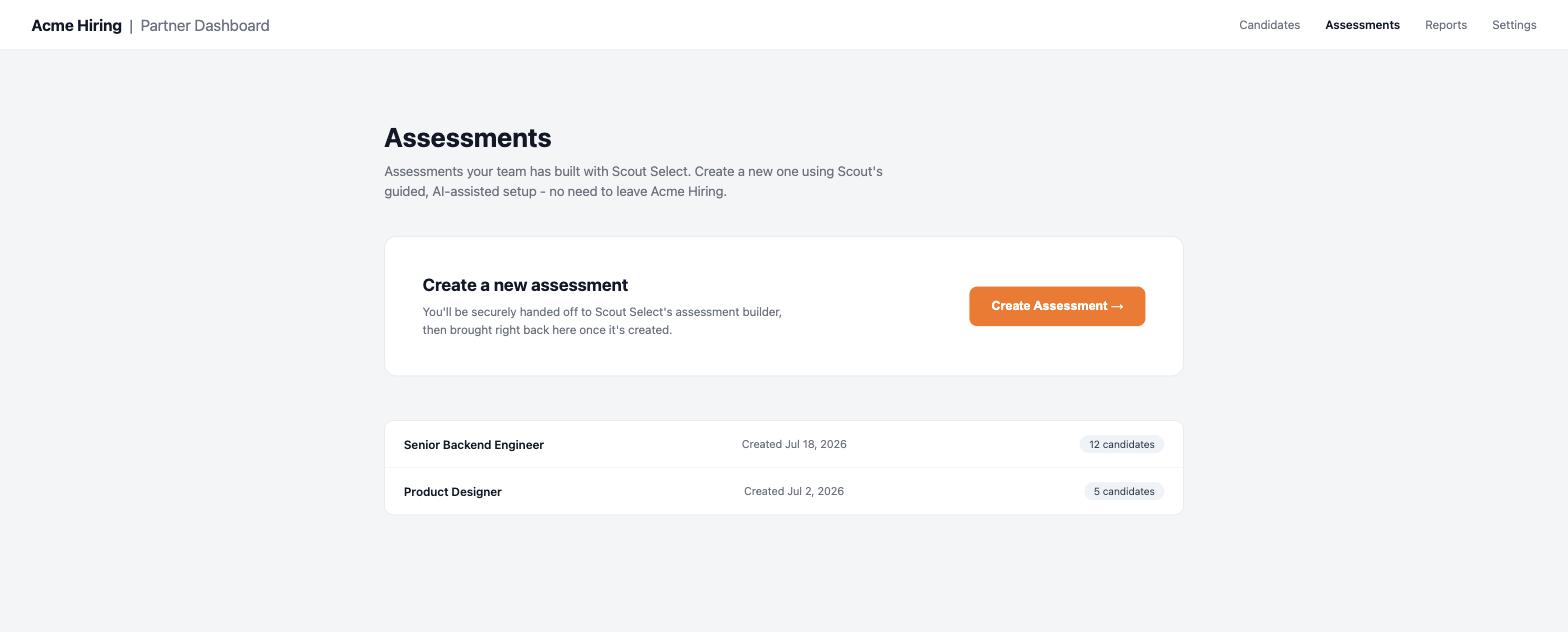
2. Redirect the user
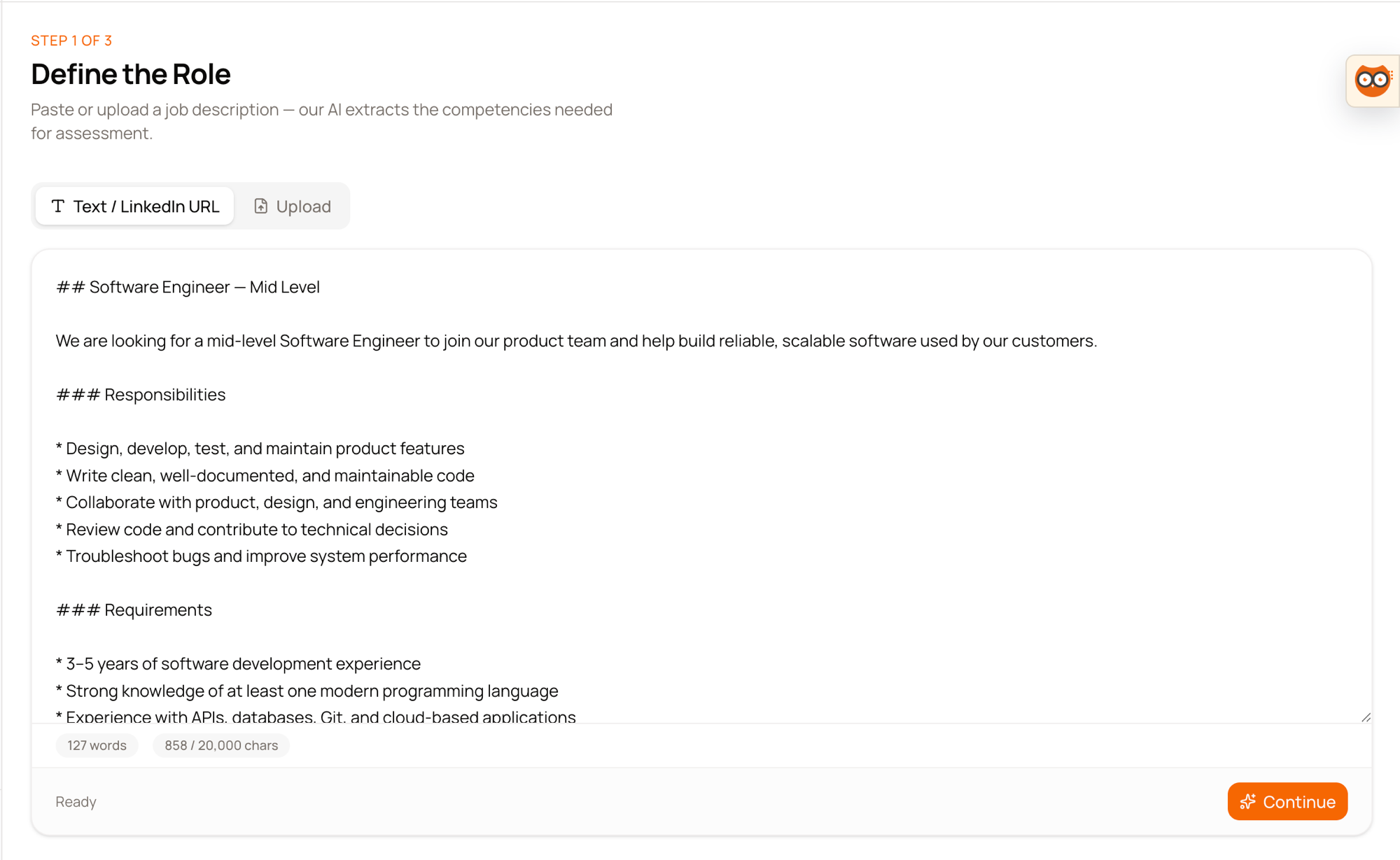
Send the browser to wizardUrl. The page shown is the same wizard used internally at Scout Select, with
all other dashboard navigation removed:
A minimal example of what triggers the redirect on your side:
3. Nothing is created until the final step
The wizard's intermediate steps (define role, interviewer profile, skill configuration) are held in the browser only. If the user closes the tab, navigates away, or the session expires before they reach the final confirmation, no assessment record is created - there is nothing to clean up, and the session token is simply no longer valid.
4. Redirect back
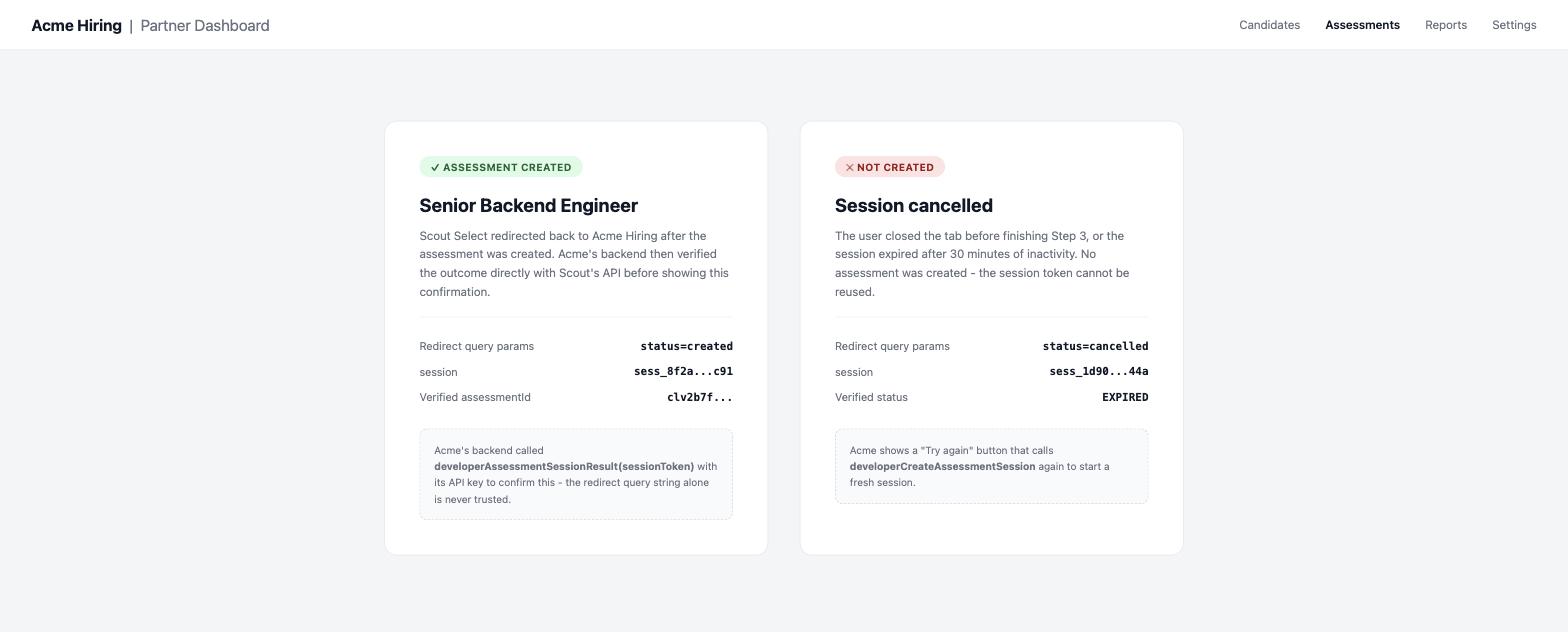
On completion (or if the user explicitly cancels), Scout Select redirects to your returnUrl with:
https://acme-hiring.example.com/assessments/callback?session=sess_8f2a...c91&status=created&assessmentId=clv2b7f...
https://acme-hiring.example.com/assessments/callback?session=sess_1d90...44a&status=cancelled
Treat status as a UX hint only (e.g. to show a "finishing up..." spinner) - never as proof an
assessment was created. Query parameters travel through the user's browser and aren't authenticated.
5. Verify server-to-server
Call this from your backend, using your API key, before showing any confirmation to the user:
query AssessmentSessionResult($sessionToken: String!) {
  developerAssessmentSessionResult(sessionToken: $sessionToken) {
    status
    assessmentId
    jobTitle
    companyName
    createdAt
  }
}
status is one of CREATED, CANCELLED, or EXPIRED. Only a CREATED result with a populated
assessmentId means the assessment exists - use that assessmentId with
Search Assessments or Assign from here on.
Failure cases
| Outcome | status | Notes |
|---|---|---|
| User finished the wizard | CREATED | assessmentId is populated |
| User closed the tab or clicked cancel | CANCELLED | Nothing was created |
| Session token expired (30 min) before completion | EXPIRED | Nothing was created |
wizardUrl opened a second time after being consumed | CREATED (or CANCELLED/EXPIRED) | The verification query still finds the session (it isn't deleted) - it just reports whatever the session's final state already was. Opening the URL itself is rejected; a fresh developerCreateAssessmentSession call is required to try again |
returnUrl not on your organisation's allowlist | Mutation itself fails with BAD_USER_INPUT | Fix the allowlist on the Developer page first |
Design notes
- Scope is one page only: the hosted view only ever exposes the assessment-creation wizard, never any other part of the Scout Select dashboard.